The Pieces
Below is a breakdown of every piece in Siege Chess, including a description of their cost, and how they move and capture:
- Pawn (Cost: 1 gold):
 A basic unit that moves one square along rows or columns, captures one square diagonally. It can't move or capture closer to its own fortress. It can be promoted if it reaches any square on the edge of the board furthest from its own fortress.
 - Soldier (Cost: 2 gold):
 A pawn variant that moves exactly two squares along rows or columns, jumping over obstacles. Captures one square diagonally. Is not affected by distance to fortress.
 - Archer (Cost: 2 gold):
 A pawn variant that moves one square along rows or columns. Captures exactly two squares away diagonally, jumping over obstacles. Is not affected by distance to fortress.
 - Rogue (Cost: 4 gold):
 A special pawn variant that focuses on stealth. Moves two square diagonally - can jump over obstacles. Captures one square along rows or columns. Invisible to enemies unless it can be captured or is directly adjacent to an enemy piece.
 - Knight (Cost: 3 gold):
 Moves in a 2x1 "L" shape. It can jump over pieces and captures by landing on an enemy's square.
 - Paladin (Cost: 3 gold):
 A variant of the knight that moves in an extended 3x1 "L" shape, jumping over pieces and capturing by landing on an enemy's square.
 - Bishop (Cost: 3 gold):
 Slides any number of squares diagonally, capturing by landing on an enemy's square.
 - Wizard (Cost: 4 gold):
 A shorter range variant of the bishop, which can jump over obstacles. Moves up to three squares diagonally. Captures by landing on a piece.
 - Rook (Cost: 5 gold):
 Slides any number of squares along rows or columns, capturing by landing on an enemy piece.
 - Scout (Cost: 6 gold):
 Slides any number of squares along rows or columns. Can move over obstacles. Captures one square away in any direction.
 - Queen (Cost: 9 gold):
 Slides any number of squares in any direction, capturing by landing on an enemy's square.
 - Berserker (Cost: 11 gold):
 A variant of the queen which explodes upon capturing a piece. Moves any number of squares in all directions, capturing by landing on an enemies square. Can capture mountains, but does not trigger explosion..
 - Dragon (Cost: 15 gold):
 A shorter range variant of the queen. Slides up to three squares in any direction, capturing by landing on an enemy's square. When capturing a piece, the dragon also captures any pieces (friendly or enemy) between its starting and final position.
 - General (Cost: 8 gold):
 A variant of the King which provides extra movement options to Pawns, Soldiers, and Archers. Moves up to two squares in any direction, capturing one square away. Allows pawns, soldiers, or archers within two squares of the general to move to anywhere within two squares of the general.
 - Bomber (Cost: 3 gold):
 A special pawn variant that explodes, sacrificing itself upon capturing a piece to destroy all adjacent pieces. Moves one square along rows or columns. Captures by landing on an enemy piece. Can capture mountains, but does not trigger explosion.
 - Outpost (Cost: 10 gold):
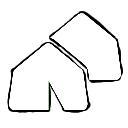 Stationary piece that can be spawned by replacing one of your pawns. Extends your spawn area to include a radius of 1 around the outpost. Can still be captured, defend it well.